


AI Art Magic - Photo Creator
0.00.00 Reviews
App Specs
- Version
- 1.1.0
- Updated On
- License
- Free
- Downloads
- 1,000,000+
- Developer
- SSon Studio
- Categories
- Photography
- Platform
- Android
Screenshots
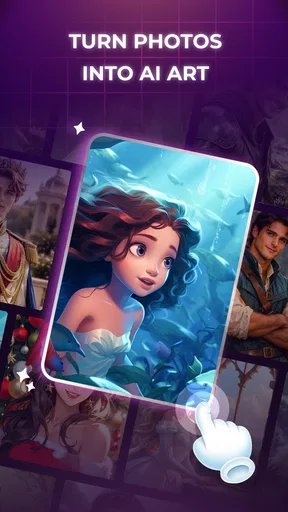
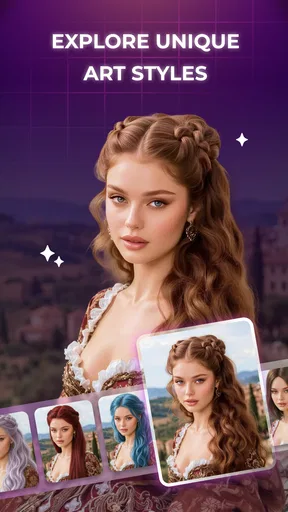
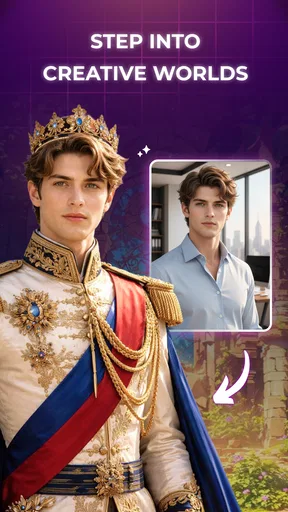
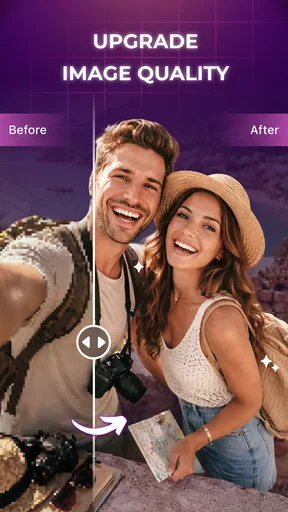
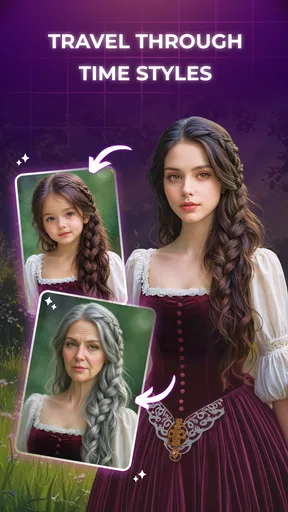
 Analysis by AppCompare
Before installing a photo app, I like to picture the moment I would actually reach for it: a quick break, a camera-roll snapshot that could use a little personality, or a picture I want to share in a less familiar style. That is the kind of decision AI Art Magic - Photo Creator invites. It is a free photography app from SSon Studio, and I see its role as creative experimentation rather than careful, professional-grade correction.
That distinction matters. The appeal here is not simply that artificial intelligence can change a picture; many apps can do that. It is that the app’s focus is creative transformation and accessible editing, a combination that suits casual experimentation. I would approach it as a way to make a few images feel fresh or shareable, not as a dependable tool for professional retouching or precise image repair.
Choose it for creative changes, not precise retouching
AI Art Magic is listed in Photography, and its brief positioning points toward art styles, fun effects, and straightforward editing. The useful decision question is whether you want a new interpretation of a photo or a faithful correction of the original. For the first, this app’s purpose makes sense. For the second, a conventional editor with direct controls is usually the safer choice.
That difference affects which photos are worth trying. A clear portrait, a pet photo, or a simple travel snapshot gives a stylized effect a recognizable subject to work with. A busy image with several people, tiny details, and mixed lighting is a harder test: the transformation may draw attention to an unexpected area or alter details you wanted to keep. I’d start with a picture whose overall mood matters more than exact likeness.
The app is marked Everyone, so its stated age suitability is broad. It is free, which makes casual testing less of a commitment than buying a dedicated creative tool. Its current version is 1.1.0, and it has passed one million installs. Those facts help set expectations about availability and reach, but they do not tell me whether every effect will suit a particular photo; the result still needs to be judged image by image.
Where its simple creative focus helps
The strongest case for this app is the low-stakes moment when a photo feels ordinary and you want to see what a different visual treatment does to it. Rather than beginning with detailed sliders and worrying about technical adjustments, you can think in terms of the overall look you want. That makes this style of app more inviting for someone who enjoys visual experiments but does not want to learn a complicated editing workflow first.
A practical example: after a day out, I might have a candid picture that is pleasant but not especially memorable. I would keep the original untouched, try a creative treatment on a copy or separate export if the app offers that workflow, then compare the result with the source before sharing. The useful part is not assuming the first transformation is the best one. A dramatic effect can look striking in isolation yet make a face, background, or important detail less recognizable.
Worth Reading Before You Choose

Baby Panda World Brings Quick Play to Modern Phones, but Its Game Library Feels Busy

ESPN’s Live Game View Makes Following Close Games Easier

QuizzLand Review: A Good Fit for Short Trivia Breaks, Not Every Player

Basketball Stars: Multiplayer Is Fast, but Can It Recover When Matches Go Wrong?

WEBTOON Turns Phone Updates Into a Better Reading Routine

Link to Windows Runs on Shared Habits, Not Social Feeds
There is also a simple selection tip that improves the odds of a satisfying result: crop thoughtfully before experimenting, if the editing flow allows it. Removing distracting edges can give the subject more visual weight and make a stylized treatment feel intentional. I would avoid cropping so tightly that the app has too little context, especially for a portrait or a scene where the surroundings help tell the story.
Another good use is making a small set of images feel visually related. If I’m preparing several pictures from the same outing, I’d test the same general artistic direction across them and check whether it holds together. The trade-off is that a consistent look can also make different images feel overly processed. I’d keep the strongest transformations for pictures where the effect adds character, rather than applying one treatment automatically to everything.
SSon Studio’s approach, as reflected in the app’s stated purpose, is best understood as a creative shortcut. It may suit people who want to play with the appearance of a photo more than people who enjoy painstaking manual edits. That is a real advantage for quick personal projects, but it also means the app should be judged by whether its visual results match your taste—not by how many controls you expect from a broad photo suite.
When another kind of editor is the better choice
Compared with a standard photo editor, an AI-art app trades some predictable control for a more transformative result. A traditional editor is usually the better category when you need to straighten a horizon, make restrained color corrections, or preserve a person’s appearance as closely as possible. AI Art Magic makes more sense when a creative reinterpretation is the point, and exact reproduction is less important.
It is also different from a dedicated design or collage tool. If the task is arranging text, building a poster, or fitting an image into a carefully measured layout, choose an app made for those jobs. A stylized photo can be one ingredient in a design, but visual effects alone do not replace layout tools. Likewise, someone seeking detailed layer-by-layer compositing may be happier in a more advanced editor.
For users who mainly want quick filters, the deciding factor is whether they want a familiar, subtle finish or an image that feels more reimagined. A conventional filter tool can be faster when all that is needed is a modest change in tone. The AI-art direction is more appealing when the result should look intentionally different. I would not treat those approaches as interchangeable: one aims to adjust a photograph, while the other invites a more expressive departure from it.
There is a related limitation with important images. If a picture must remain documentary evidence, accurately represent a product, or preserve fine details for work, I would avoid relying on a creative transformation as the final version. Keep the original and use a conventional editor for corrections that need to be faithful. This is not a criticism of the app so much as a boundary around the kind of result its creative purpose encourages.
A sensible workflow keeps the original in control
My preferred way to test any image transformation app is to begin with one low-risk photo, not a whole camera roll. Pick a well-lit image with one clear subject, try a look, and inspect the face and edges at a comfortable size. If the image becomes less recognizable or the treatment competes with the subject, move on rather than spending time trying to force it. This small test helps answer the main practical question: does the app’s style suit your own pictures?
Before making a final choice, compare the transformed version with the original side by side. That catches a common trap: judging an edited image only by itself, where novelty can make almost any dramatic change seem exciting at first. Ask whether the effect improves the image for its intended use—sharing with friends, keeping as a playful keepsake, or using as creative inspiration. If it only looks different, that may not be enough.
I would also separate experimentation from preservation. Keep an untouched source when the photo matters, and make edits from a copy whenever your device’s workflow permits. That gives you room to change direction later and avoids treating a stylized result as a replacement for the moment you captured. It is especially useful for family pictures, travel memories, and other photos you may want to revisit with a different editing approach.
For someone moving from a familiar editor, the main cost is not money so much as changing expectations. A manual editor invites you to make one controlled adjustment at a time; a creative transformation may produce a larger shift in one go. If you are used to tuning every detail, that can feel liberating or frustrating. Give it a brief trial with a photo where experimentation is welcome before deciding whether it belongs in your regular toolkit.
Who should install it—and who should pass
I’d recommend AI Art Magic - Photo Creator to casual photographers who enjoy trying unusual looks, people who want an approachable entry into AI-style photo editing, and anyone looking for a playful way to refresh a few personal images. Since it is free, it is reasonable to test whether its creative direction clicks with your taste. The app runs on Android starting with version 7.0, which makes it relevant to users on a range of Android devices, though the actual experience can still vary with a device and its photos.
I would steer away from it if your priority is subtle, repeatable corrections; exact control over every adjustment; or dependable preservation of small details. In those situations, a conventional photo editor is a better first choice. If you need composition tools for finished layouts, choose a design app instead. And if a photo is sensitive or irreplaceable, keep the original and be cautious about any transformation before sharing or archiving the result.
One useful way to decide is to think about what happens after editing. For a casual post to friends, a bold reinterpretation can be the point, and a slightly altered background may not matter. For a profile picture, a product listing, or a family image that relatives expect to recognize, I would be more selective and compare facial features and small details closely. The same treatment can feel charming on a pet portrait and distracting on a picture where accurate likeness is essential.
If you are choosing between this and a familiar filter app, ask whether you want to discover a new visual direction or simply polish the existing photograph. I would reach for a standard filter when I already know the look I want and need a quick, predictable adjustment. I would try this app when I am open to surprise and willing to reject a result that changes too much. That is a practical distinction, not a claim that one approach is universally better.
Another small but useful habit is to judge an edited image at the size and in the place where it will actually be seen. A treatment that looks appealing on a phone screen may make details muddy when viewed larger, while a striking crop might work well as a small social image but feel cramped as a keepsake. I would not decide based only on the first preview; take a moment to check whether the subject still reads clearly for its intended use.
For everyday experimentation, I would start with a duplicate of a photo that is easy to replace, such as a recent walk or meal snapshot. That gives you a safe way to explore without worrying about losing the only version of an important memory. If you like the result, keep it alongside the original rather than treating it as a correction. If you do not, you have learned something about the app’s creative direction without making the source picture harder to use later.
My recommendation is straightforward: treat this as a creative side tool, not an all-purpose photo editor. Its appeal is the chance to give everyday pictures a more imaginative character without demanding an elaborate editing routine. Start with a simple image, compare the outcome against the original, and keep only the transformations that genuinely add something. If that kind of playful experimentation is what you want, it is worth trying; if accuracy and fine control matter more, another category of app will serve you better.
Pros
- Quickly turns text prompts into original artwork.
- Offers multiple styles for varied creative results.
- Useful for creating social media posts and profile images.
- Simple prompt-based workflow is easy for beginners.
- Lets you explore visual ideas without drawing skills.
Cons
- Generated images may not match the prompt precisely.
- Results can vary noticeably between generations.
- Fine details
- faces
- and hands may look distorted.
- Some styles or features may require payment.
- Image generation may take time or depend on an internet connection.
FAQs for AI Art Magic - Photo Creator
What is AI Art Magic - Photo Creator?
AI Art Magic - Photo Creator is an image-making app that uses artificial intelligence to transform text prompts or supplied photos into stylized artwork. Depending on the tools available in your version, you may be able to explore different visual styles, create portraits, or apply artistic effects to existing images. Features and results can vary by app version, so check the store listing and in-app descriptions before downloading.
How do I create an image with AI Art Magic - Photo Creator?
Typically, you choose an image-generation or photo-editing feature, enter a short description or select a picture, and then pick from the options the app offers. Clear prompts that describe the subject, setting, and desired style can help guide the result, though AI output is not always predictable. Once processing finishes, review the image and use the available save or sharing controls if you are happy with it.
Is AI Art Magic - Photo Creator free to use?
The app may be available to download without an upfront payment, but that does not necessarily mean every feature is free. AI image creation can be limited by daily credits, generation quotas, or access to paid tools, and some versions may offer subscriptions or in-app purchases. Check the current store page and the payment details shown inside the app before starting a trial or confirming a purchase.
Does AI Art Magic - Photo Creator require an internet connection, and what happens to my photos?
AI image generation often relies on online processing, so a stable internet connection may be needed for creating or editing images; some basic browsing or saved-image features may work differently. If you upload personal photos, review the app’s privacy policy and permission requests to understand how images and related data are handled. Avoid submitting sensitive images unless you are comfortable with the stated data practices.
Can I use or share images made with AI Art Magic - Photo Creator?
The app may provide options to save generated images to your device or share them through other services, but usage rights depend on its terms, the content you create, and any third-party platform rules. Before using an image commercially, check the app’s current license and relevant copyright requirements. Also consider the rights and privacy of people shown in uploaded photos, particularly when sharing edited portraits publicly.


